Links
Overview
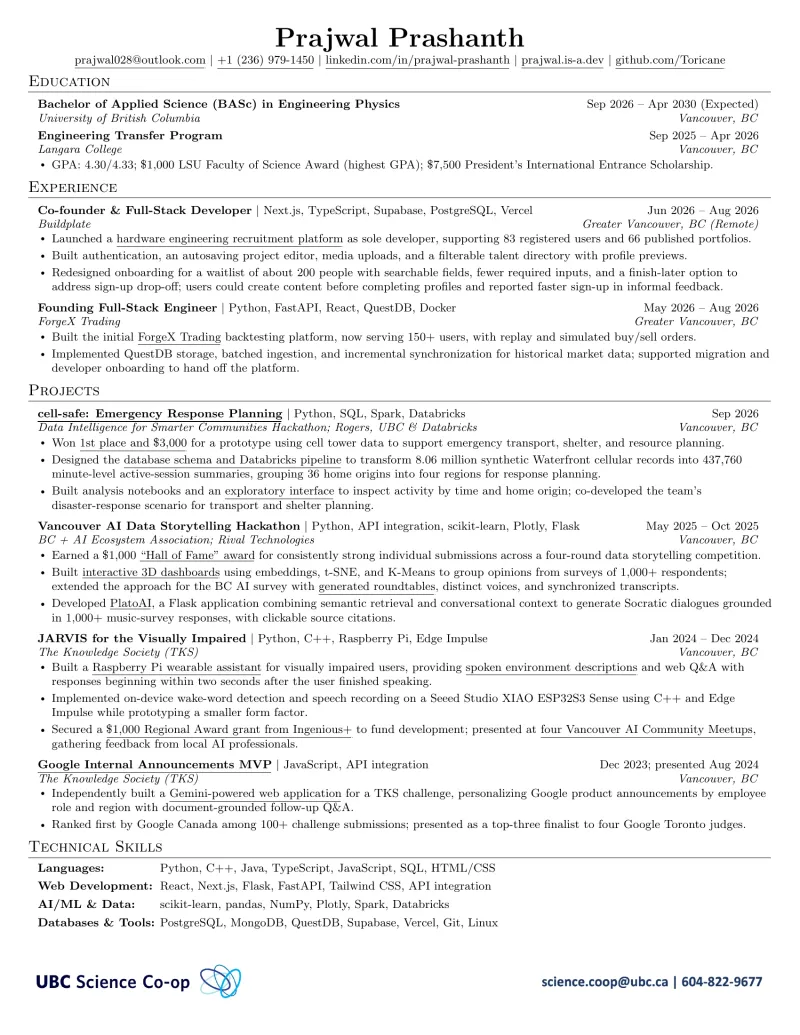
Updating a résumé meant keeping content, formatting, downloadable PDFs, and the public link in sync. I built a local workflow around my own one-page résumé so I could edit the content in Markdown, inspect the typeset result, and compare revisions before publishing.
Role and constraints
I built the sync scripts, browser preview, and publishing workflow for my personal résumé. Both the UBC co-op version and the version without its footer must remain one page. LaTeX formatting lives separately from the generated content so a Markdown save does not overwrite layout changes.
Process
A PowerShell parser converts structured Markdown to LaTeX and back, escaping special characters and preserving links. Reconciliation handles edits on either side; a round-trip self-test checks that entry, bullet, skill, and URL counts survive conversion.
The file watcher debounces changes before syncing and compiling with latexmk and pdflatex. A local PDF.js viewer refreshes the document while preserving zoom and scroll. Comparison mode pairs the live PDF with a published version, including PDFs recovered from Git history, and synchronizes scrolling and zoom across both panes. Rendered pages and link targets are compared so PDF timestamps alone do not create a false difference.
Publishing checks both PDF variants are one page before replacing the previous outputs. It creates dated versions, refreshes the preview image and download links, and updates the public redirect to the latest PDF. Documentation-only changes skip the PDF rebuild and version bump.
Result
The workflow maintains the résumé served at my stable public URL, with an editable Markdown endpoint alongside the PDF. It supports local editing, visual comparison, and versioned publication without manually updating links after each revision.
Gallery